1
Today
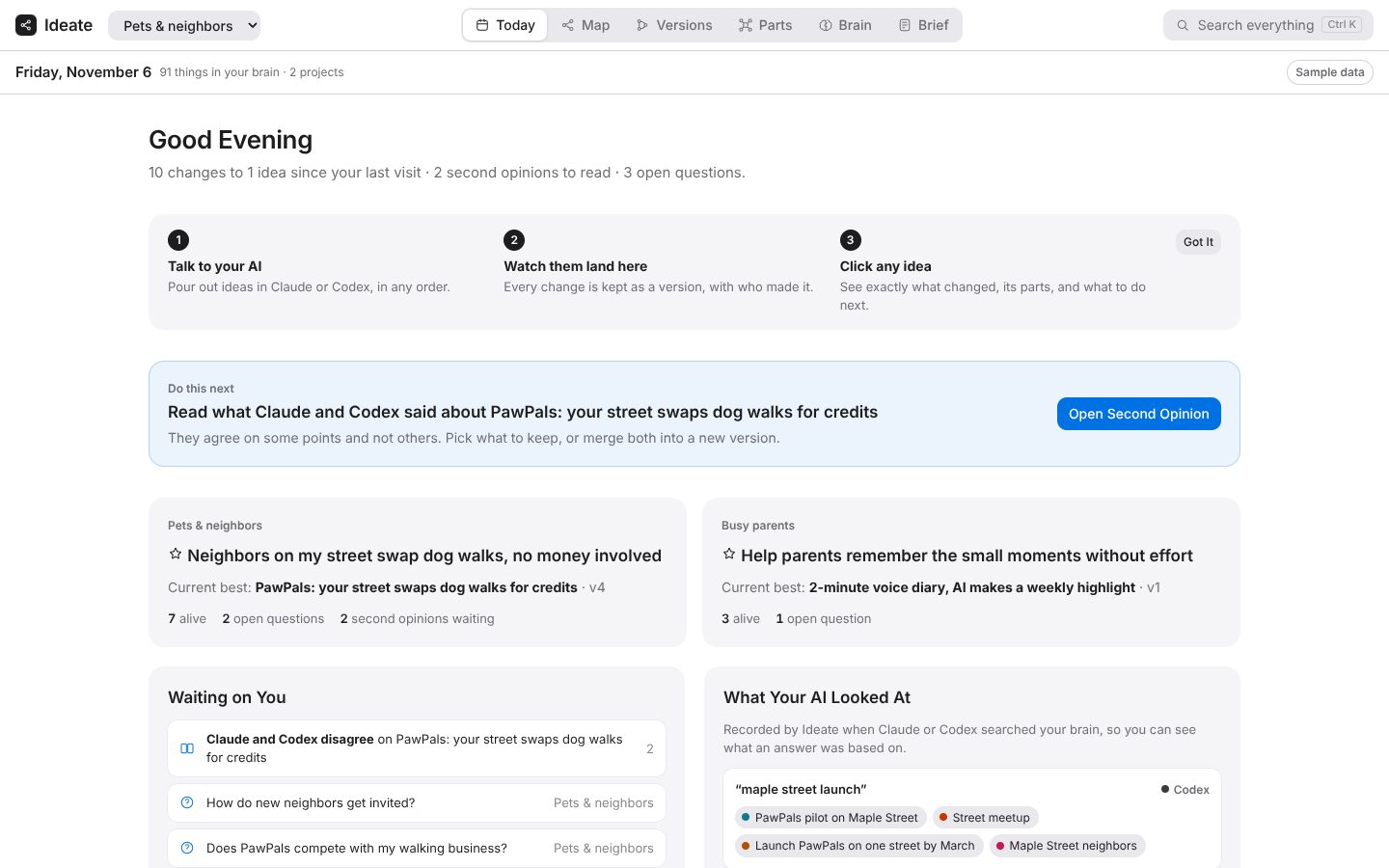
What changed since your last visit, who changed it, what Claude and Codex looked up, what's coming up, and one Do this next button.
Your idea studio
Ideate turns Claude, Codex and other AI coders into an idea studio you can see. Pour out every idea, grow them without limit, and watch every version of every idea change, part by part, with who changed it and why. Then build the one you want, without drifting.
The demo runs on sample ideas in your browser. No sign-up.
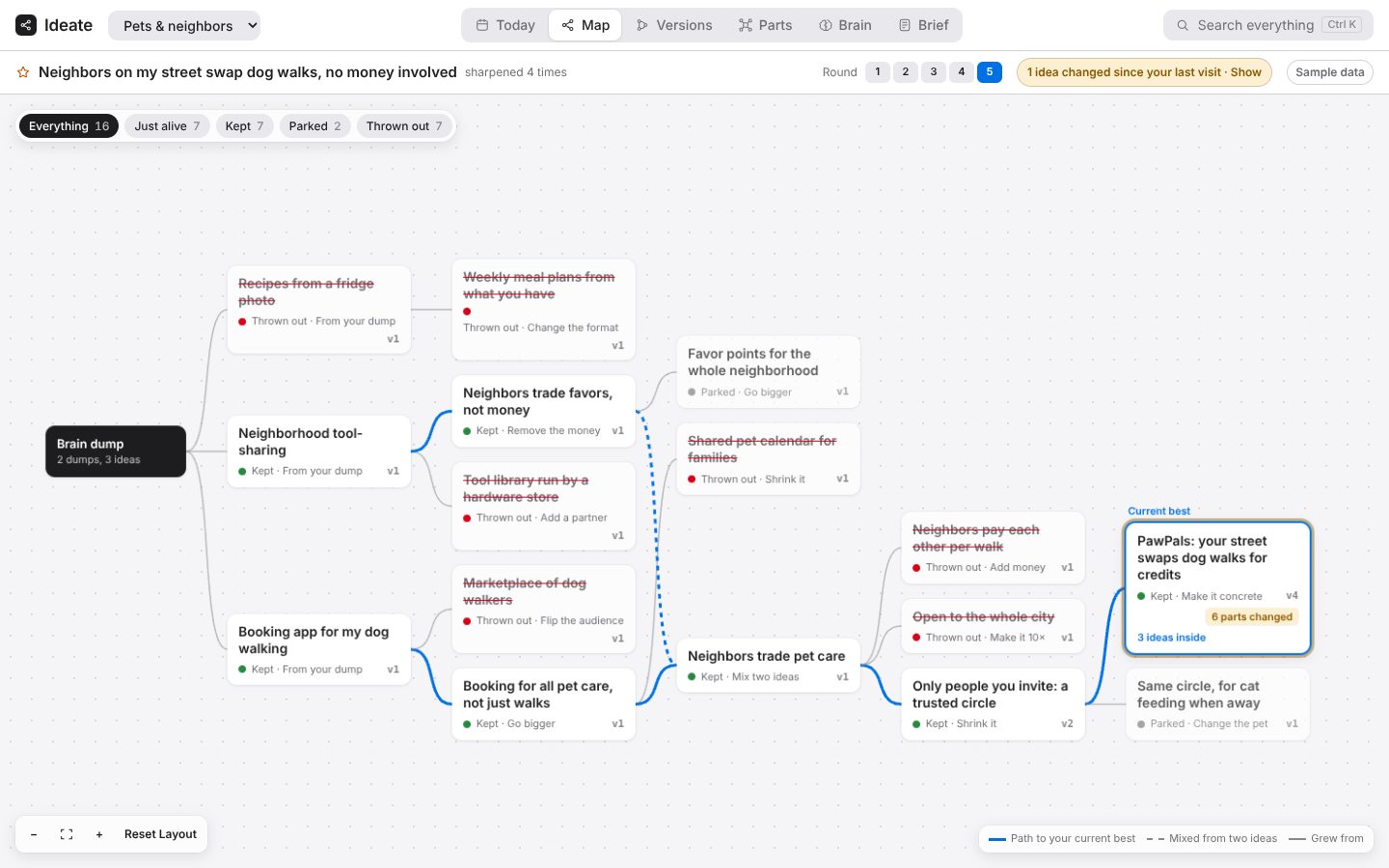
The map shows every idea and where it came from. The road to your current best is highlighted.
You talk in plain words. Ideate keeps the map, the versions and the reasons, so nothing gets lost and nothing gets quietly reworded.
Pour out every idea in your head, messy, typed or spoken. Ideate splits it into separate ideas on your map. Nothing is judged yet.
dump: …Grow any idea as far as you want. New branches come from thinking moves: go bigger, flip the audience, the opposite, remove the money.
grow [idea]Blend ideas together and get new ones nobody planned, with both parents shown.
mix A + BWho needs it, what's hard, what already exists. Honest scores.
stress-test [idea]A quick clickable sketch, pinned to that idea.
make it real: [idea]Nothing is ever deleted. Thrown-out ideas stay, crossed out, with your reason. You can bring them back.
throw out [idea] because …Watch the one sentence of what you actually want sharpen, with every earlier version kept.
what changedOne idea, built for real, piece by piece, with a drift check after every piece.
build itNo walls of text. Every reply ends with a short card: what changed on your map, the strongest idea right now, the AI's honest take, and your moves. On the map, every button copies the right words for you to paste into your AI chat.
The live map updates the moment your AI changes something. Keys 1 to 6 switch views.
What changed since your last visit, who changed it, what Claude and Codex looked up, what's coming up, and one Do this next button.
Every idea and where it came from. The road to your current best is highlighted, and changed ideas say how many parts changed since your visit.
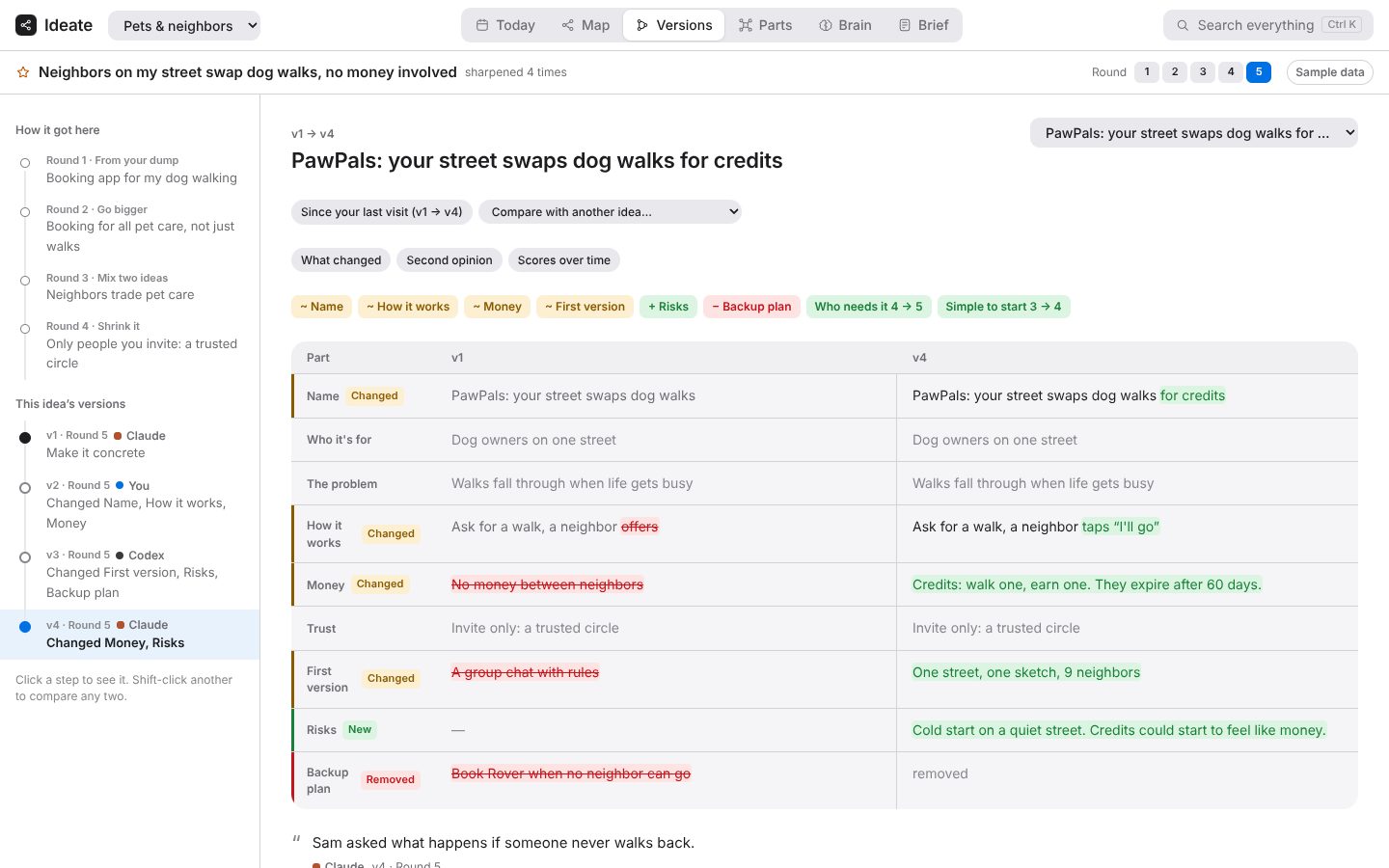
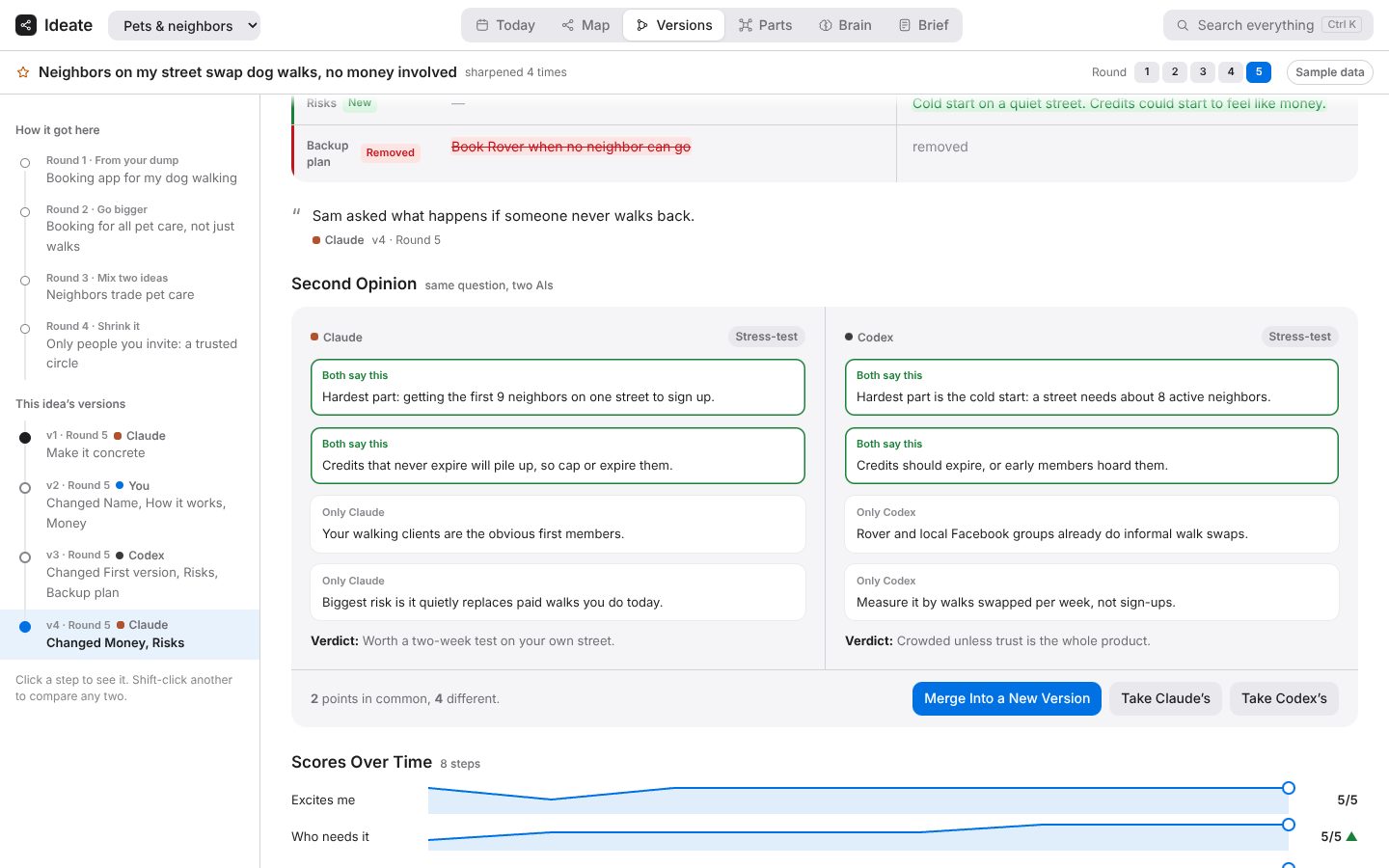
Every version of an idea, side by side, part by part. Removed words are struck through, added words are highlighted, and you see the score moves and the reason for each version.
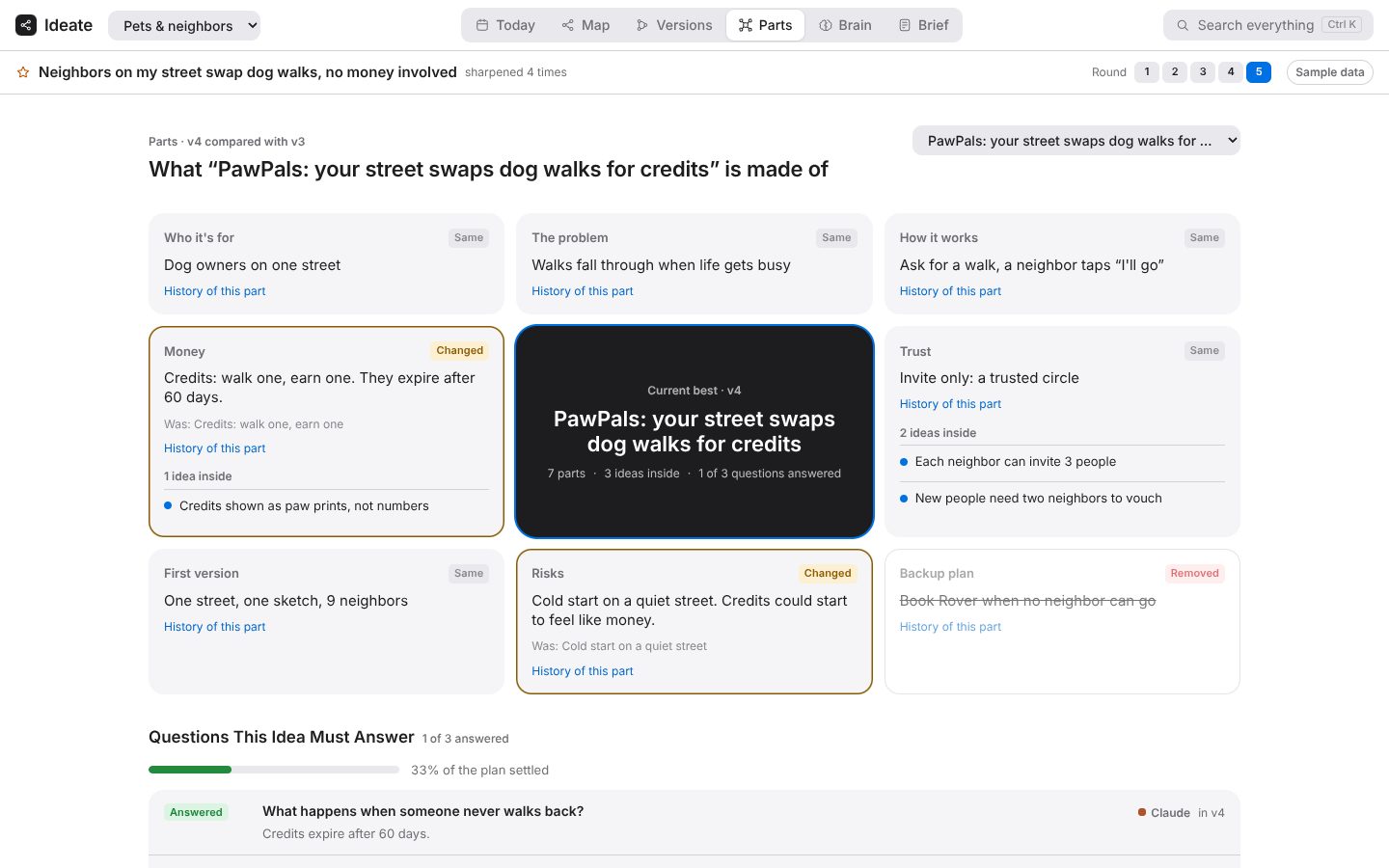
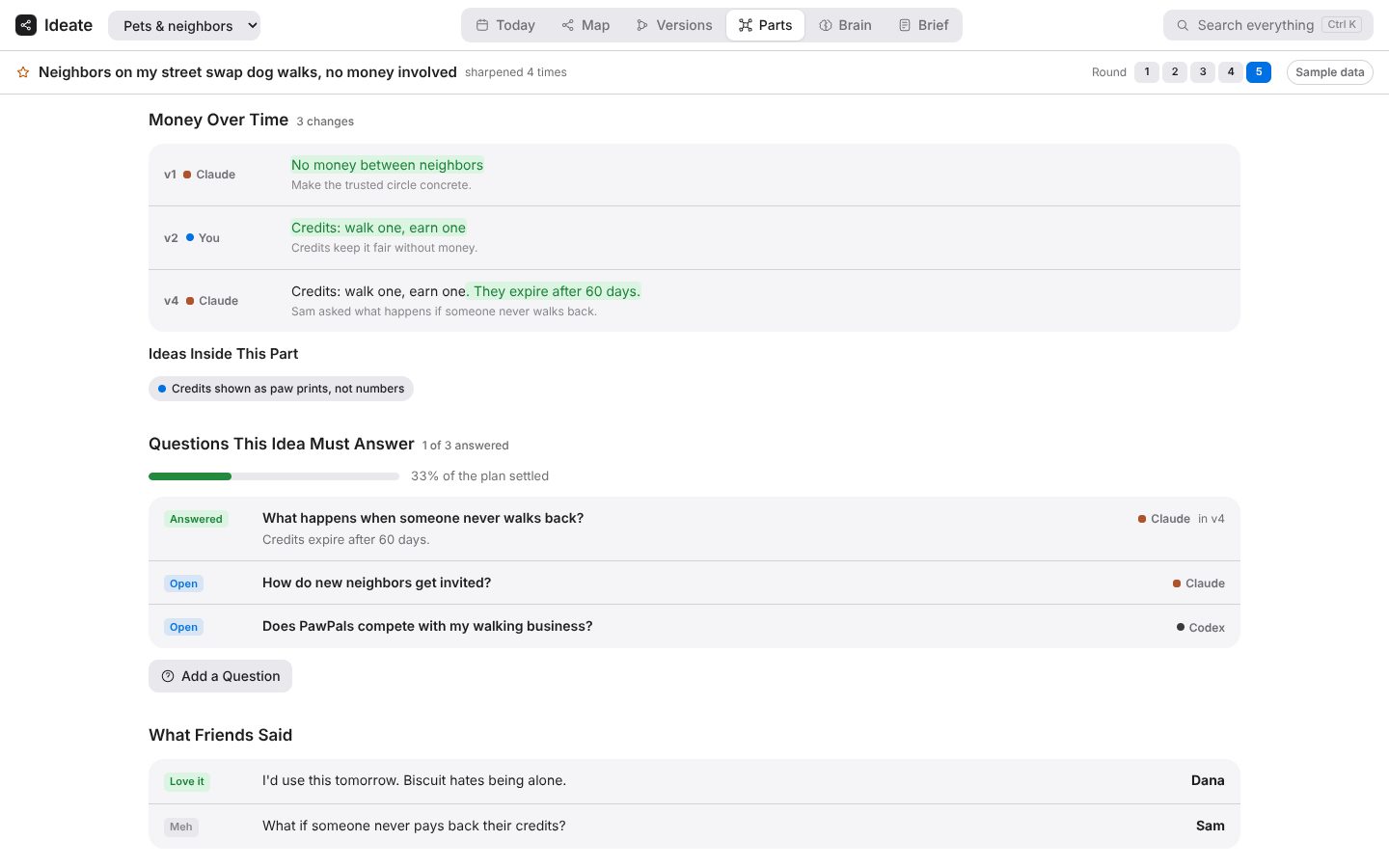
What one idea is made of: who it's for, how it works, money, trust, risks. See the history of each part, ideas inside a part, and the questions the plan still has to answer.
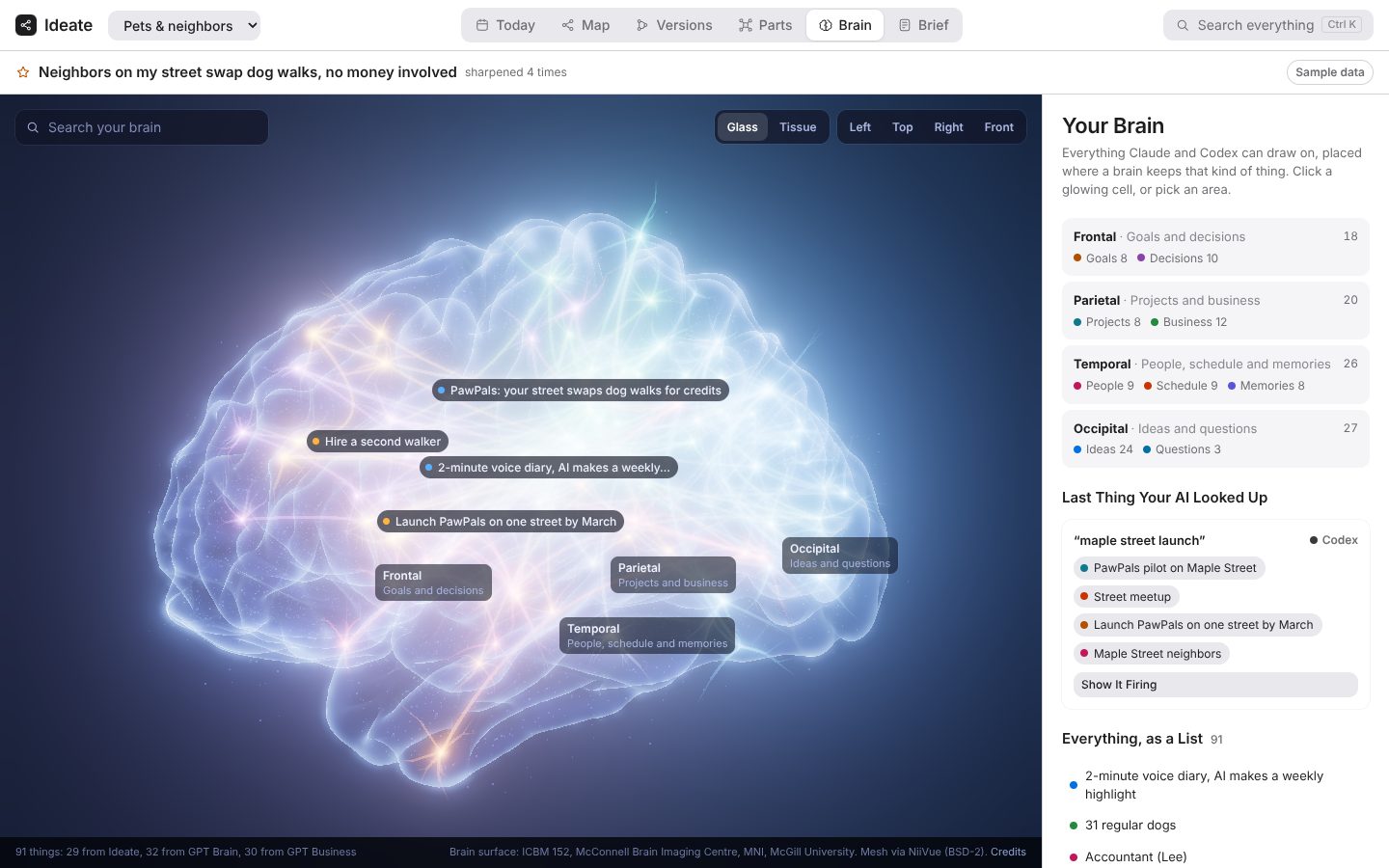
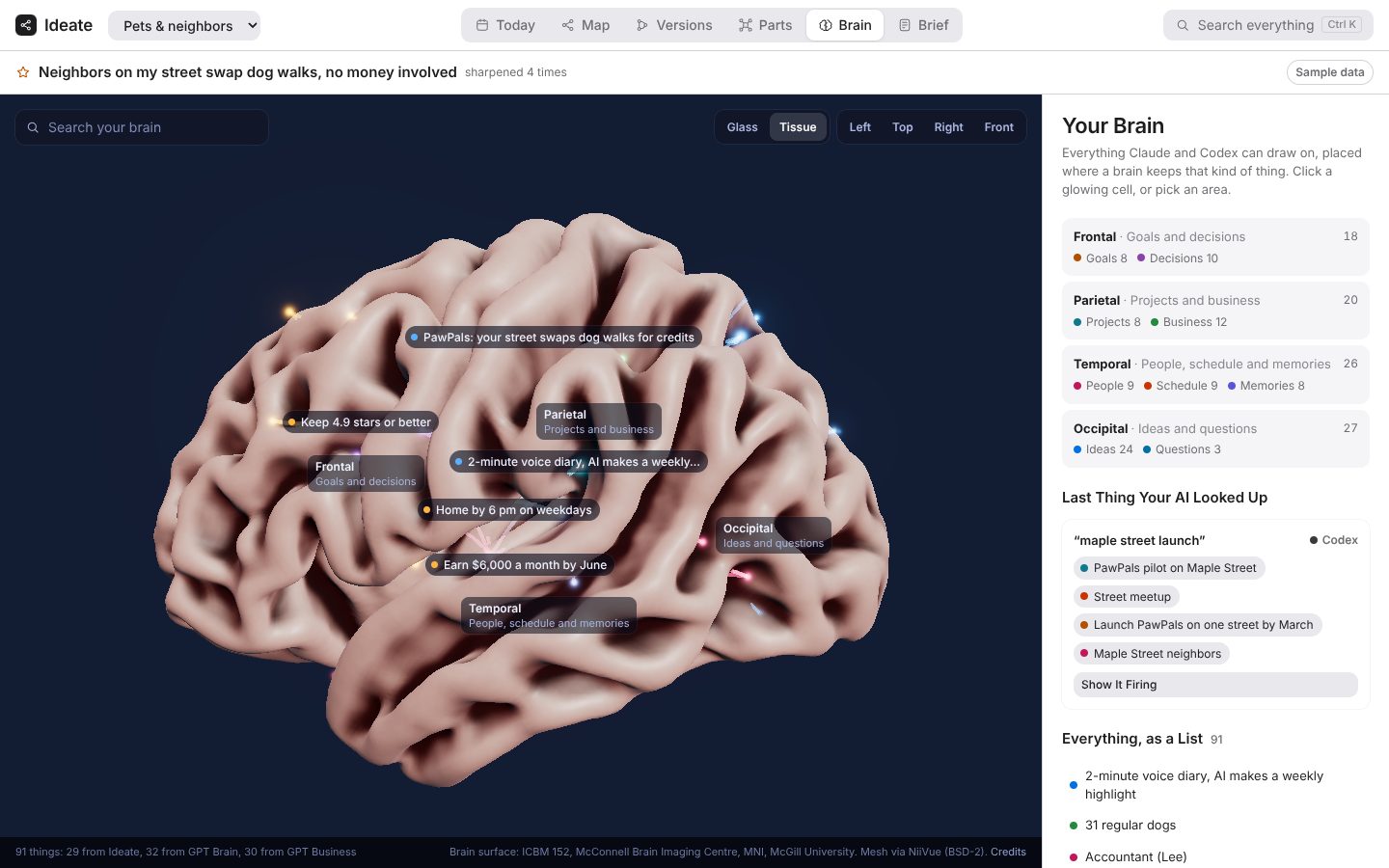
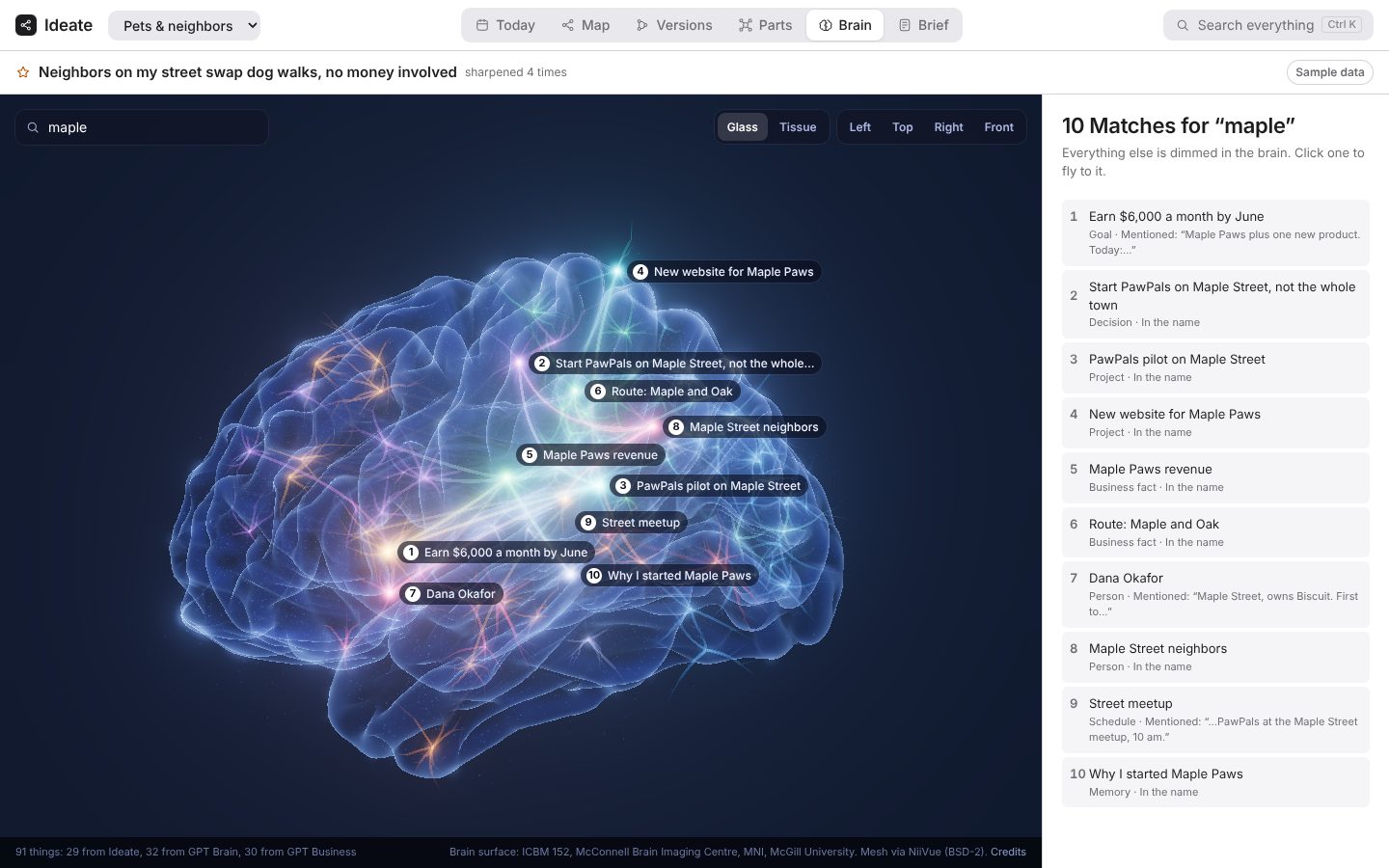
Everything your AI knows about you, your business and your ideas, as neurons inside a real human brain. Search it, click a cell, see what it connects to. When Claude or Codex look something up before answering, those cells light up. A plain list is there for anyone who would rather not use 3D.
The one-page plan, every line traced back to the ideas it came from.
Ask both for a second opinion on the same idea. Ideate lines up the points they agree on, shows what only one of them said, and lets you merge both into a new version.
Claude and Codex share memory across sessions, so one can pick up where the other left off.
Each change goes through Ideate, which keeps the old version and shows the difference, with who made it.
Ideate is also an MCP server, so your AI tools read and write the same memory. Work carries on from tool to tool with no handoffs.
Ideate runs inside the AI tool you already use, on your own plan.
/plugin marketplace add autonomized/ideate/plugin install ideate@ideateSafety guards run automatically: the card is always there, risky commands need your OK, secret keys are blocked from your code, and your idea map is reloaded every chat. Needs Python 3, which most computers already have.
Follow https://github.com/autonomized/ideate/blob/main/INSTALL.md to set up Ideate here, then start.Everything works, including versions and the live map. The automatic guards are Claude Code only for now, so other tools follow them as rules but nothing forces them to.